
The alarm you
can’t sleep through.
Fires before dawn at your location, breaks through silent mode, and doesn’t stop until you complete a physical mission. Scan a QR code, or recite a short verse.
You set the alarm. You silenced it half-asleep. You missed Fajr again.
Normal alarms lose. They’re easy to dismiss, easy to ignore, and iOS silences them the moment you press the side button. If you’ve been meaning to wake for Fajr for months and it just isn’t happening, the alarm isn’t the problem. The ease of dismissing it is.
One alarm. Three steps. Zero excuses.
Set your Fajr alarm.
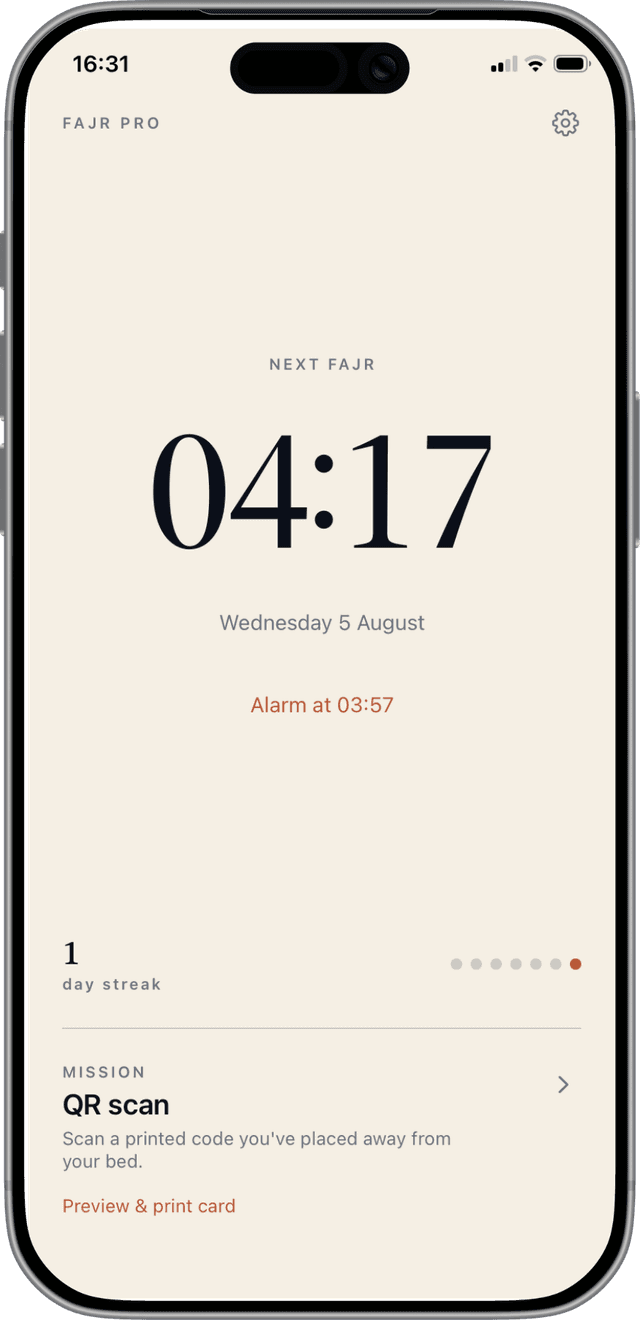
Fajr Pro calculates the exact time for your location. Pick your mosque’s method or dial in a manual offset.
The alarm breaks through.
System-level alarm that fires through silent mode, Focus, and Sleep. It doesn’t care that you locked your phone.
Complete a mission to silence it.
Scan a printed QR code you’ve taped away from your bed, or recite a short verse aloud. The alarm re-fires until you do.
Pick the friction that works for you.
QR scan
RecommendedPrint the Fajr Pro card once. Tape it to your bathroom mirror, kitchen sink, front door. Anywhere that requires you to leave the bed. Scan it to silence.
Recitation
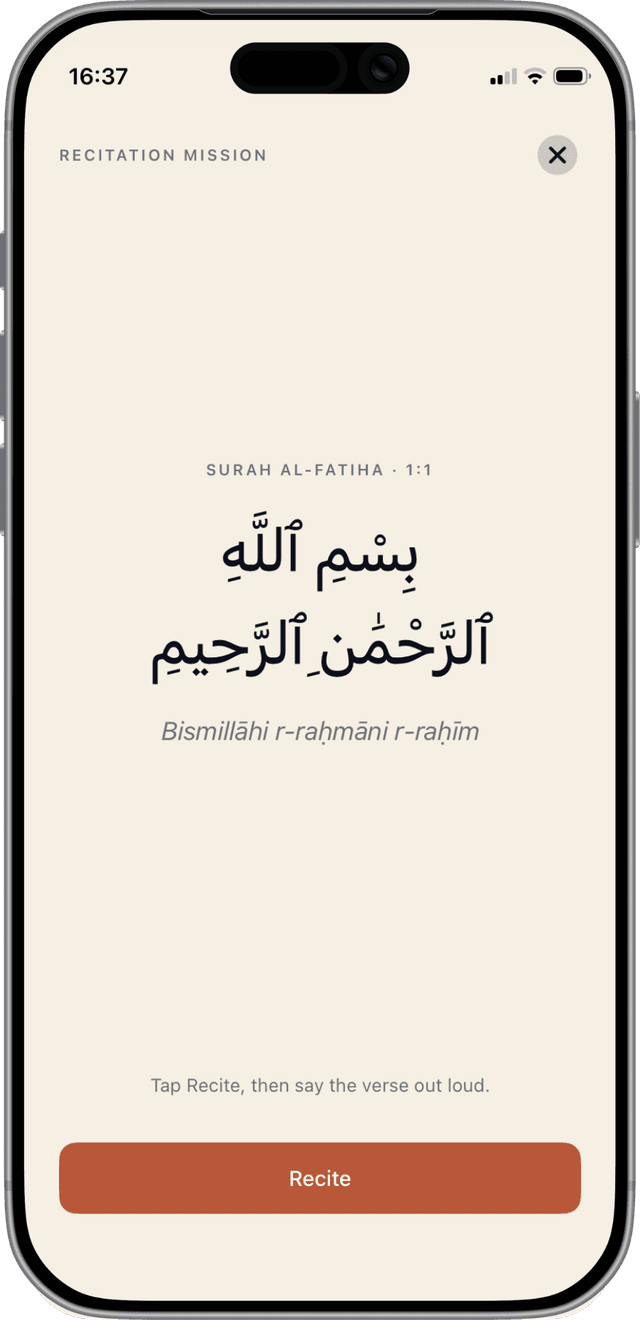
Recite a short Quranic verse aloud. On-device speech recognition confirms. Nothing sent off your phone. Miss the recitation, alarm re-fires.
7 days free. Then a small subscription.
Cancel any time before day 7 and you won’t be charged.
Just £2.08 / month · best value
Subscriptions auto-renew unless cancelled 24 h before period end. Manage in your Apple ID account settings. See Terms and Privacy Policy.
Questions people actually have.
Does it work offline?
Yes. Fajr times are computed on-device using astronomical formulas. No network needed after the first location grant.
Which calculation method does it use?
Every major one: Muslim World League, ISNA, Egyptian, Umm al-Qura, Karachi, Dubai, Kuwait, Qatar, Singapore, Turkey, Tehran, Moonsighting Committee. Ask your local mosque which they use, then pick that in Settings. There’s also a manual offset ±60 minutes to match a printed timetable exactly.
What if I don’t want to print a QR code?
Pick the Recitation mission instead. You’ll be presented with a short verse (Arabic + transliteration) each morning; reciting it aloud silences the alarm. All speech recognition happens on-device.
What happens if I just press the power button to silence it?
The alarm re-fires around 15 seconds later, then again, then again, until you complete the mission. Fajr Pro pre-schedules a burst of system alarms specifically to defeat this.
Does the app work at very high latitudes?
It handles all standard high-latitude rules (middle of the night, seventh of the night, angle-based). During polar summer above the Arctic Circle, standard calculations don’t resolve. This is a known astronomical limit.
How do I cancel?
Settings on your iPhone → your Apple ID → Subscriptions → Fajr Pro → Cancel. Standard Apple subscription flow.
Is my data safe?
Yes. Your location is stored only on your device. Your email is only used for signing you in and syncing your streak across your own devices. See our Privacy Policy for the full picture.
Tomorrow’s Fajr is coming.
Whether you make it or not is now a choice you get to make in advance.
Start 7-day free trial